



$ROTLI — Room to think. Coins you keep. ↓ CA

Everything rotli does, in plain files.

A calm editor, tasks and links that stay Markdown, chat that reads your notes, and a Librarian that keeps them filed. All of it works on one folder you own.

Write in Markdown. See it rendered.

Tasks, choices, tables, diagrams, and math draw themselves as you type, and every one of them is plain text on disk.

How it looks in rotli
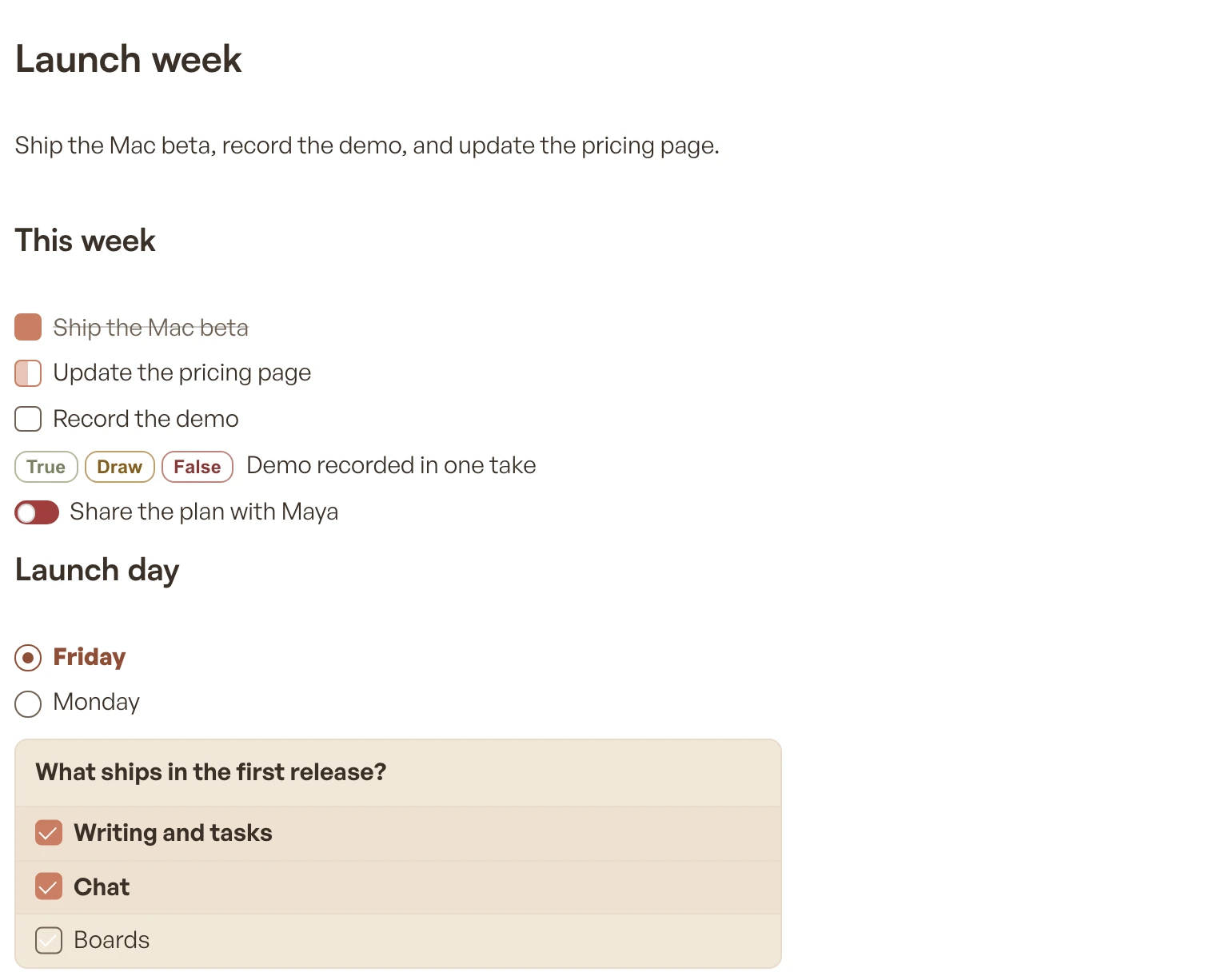
A note called Launch week with tasks in three states, result buttons, a switch, a single choice, and a checklist panel
What is saved on disk
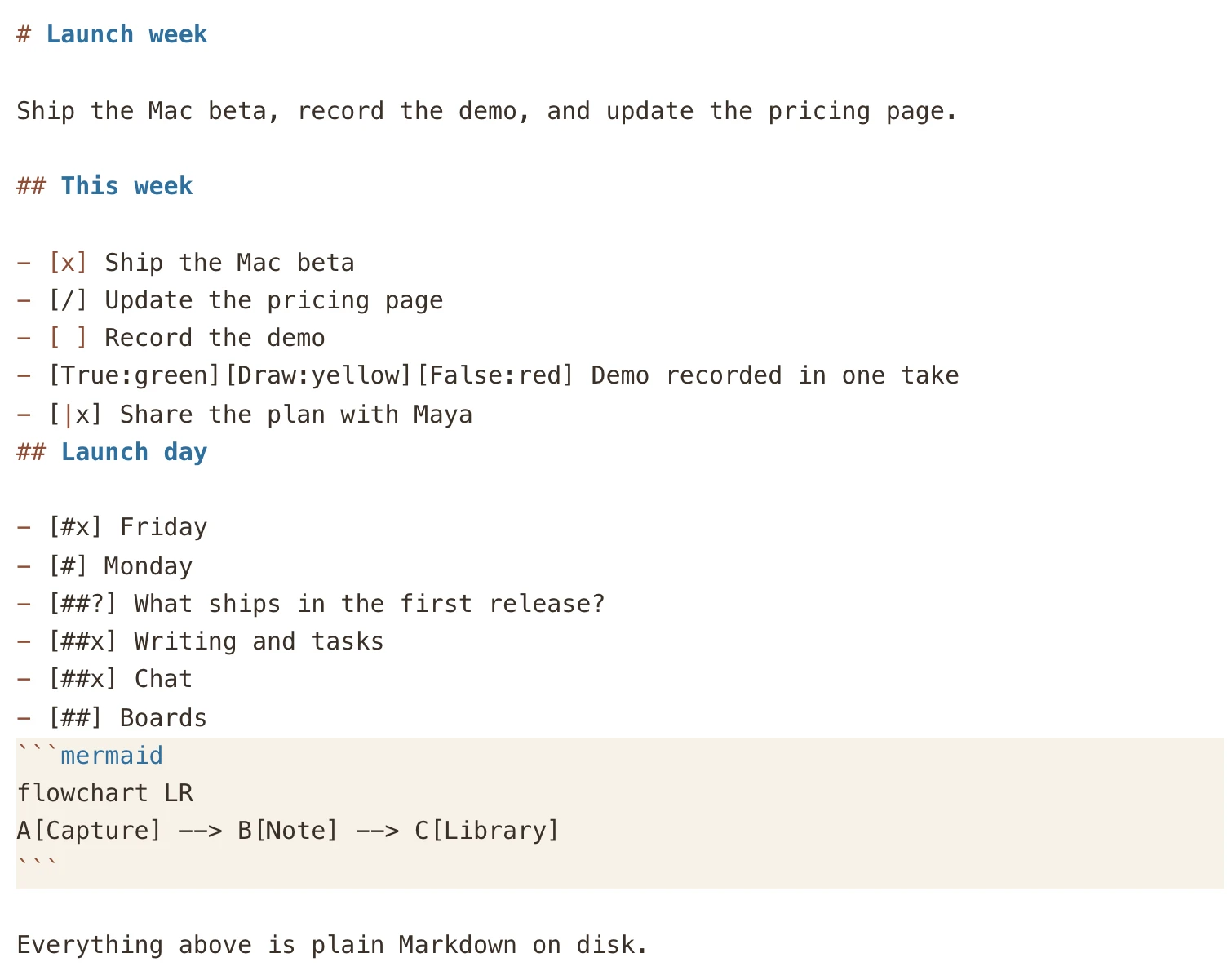
The same note in raw Markdown: headings, task brackets, result and choice markers, and a Mermaid fence

Same note, two views. Everything rotli draws is plain Markdown underneath, so it opens in any editor and survives any app, including this one. Aa → Raw markdown switches views in place.

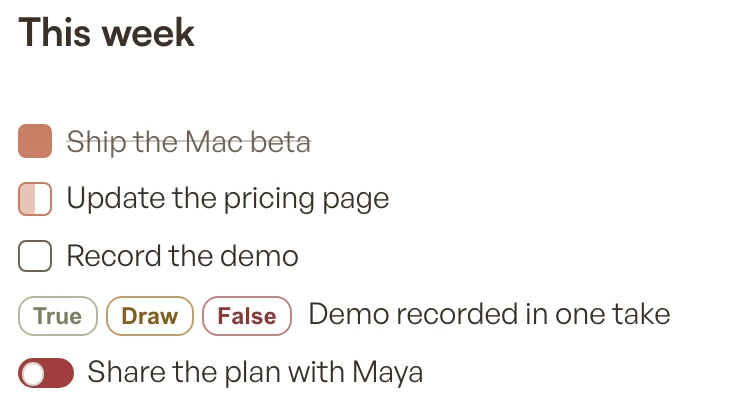
  • Three tasks in done, in-progress, and open states, a row of True, Draw, and False result buttons, and a switch

    Tasks, progress, and results

    Done, in progress, and open; colored result buttons; switches. Click one and the file changes.

    - [x] - [/] - [ ] [True][False] [|]
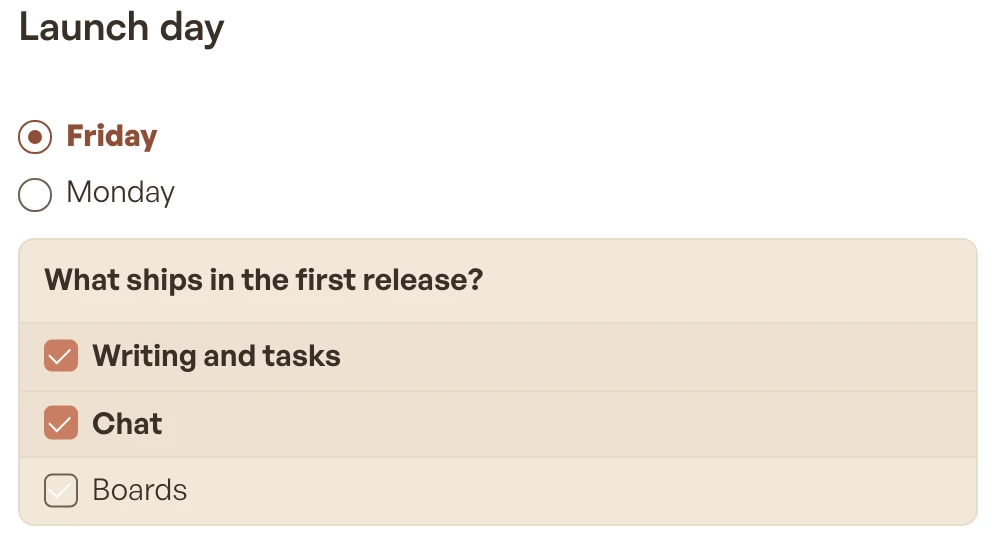
  • A single-choice pair with Friday selected, and a panel asking what ships in the first release with two of three options checked

    Choices and panels

    One answer or several. A question row turns the options under it into a panel.

    - [#] - [##?] - [##]
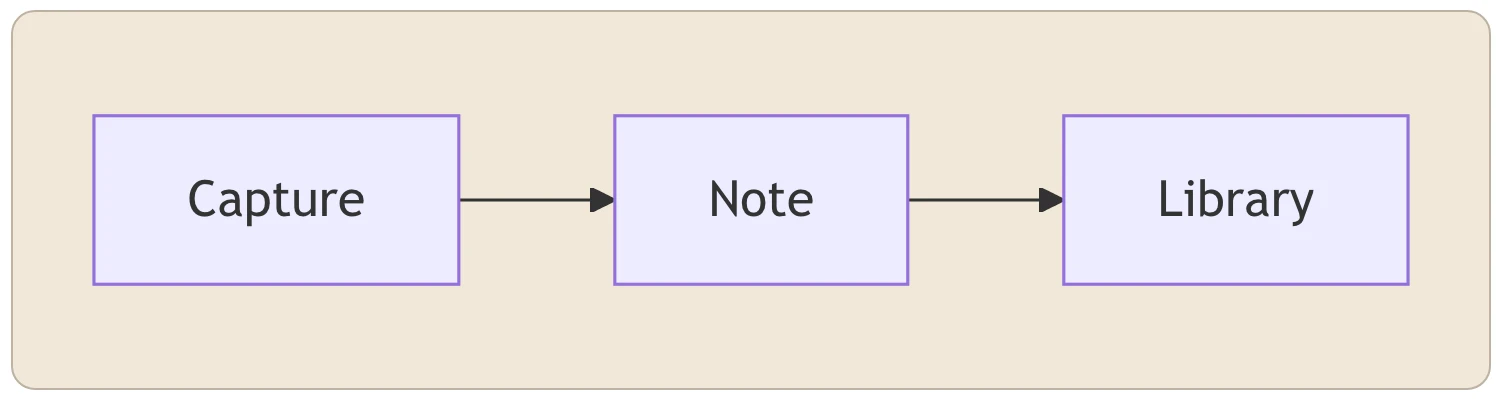
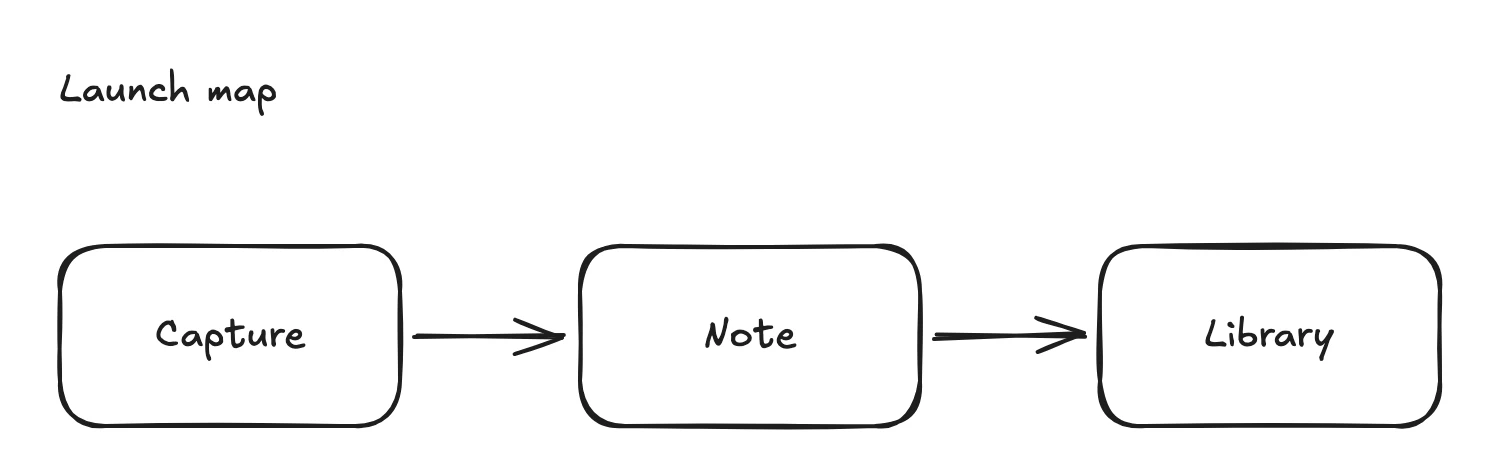
  • A flowchart from Capture to Note to Library rendered inside a note

    Diagrams

    A Mermaid fence draws itself right in the note; the source stays one click away.

    ```mermaid
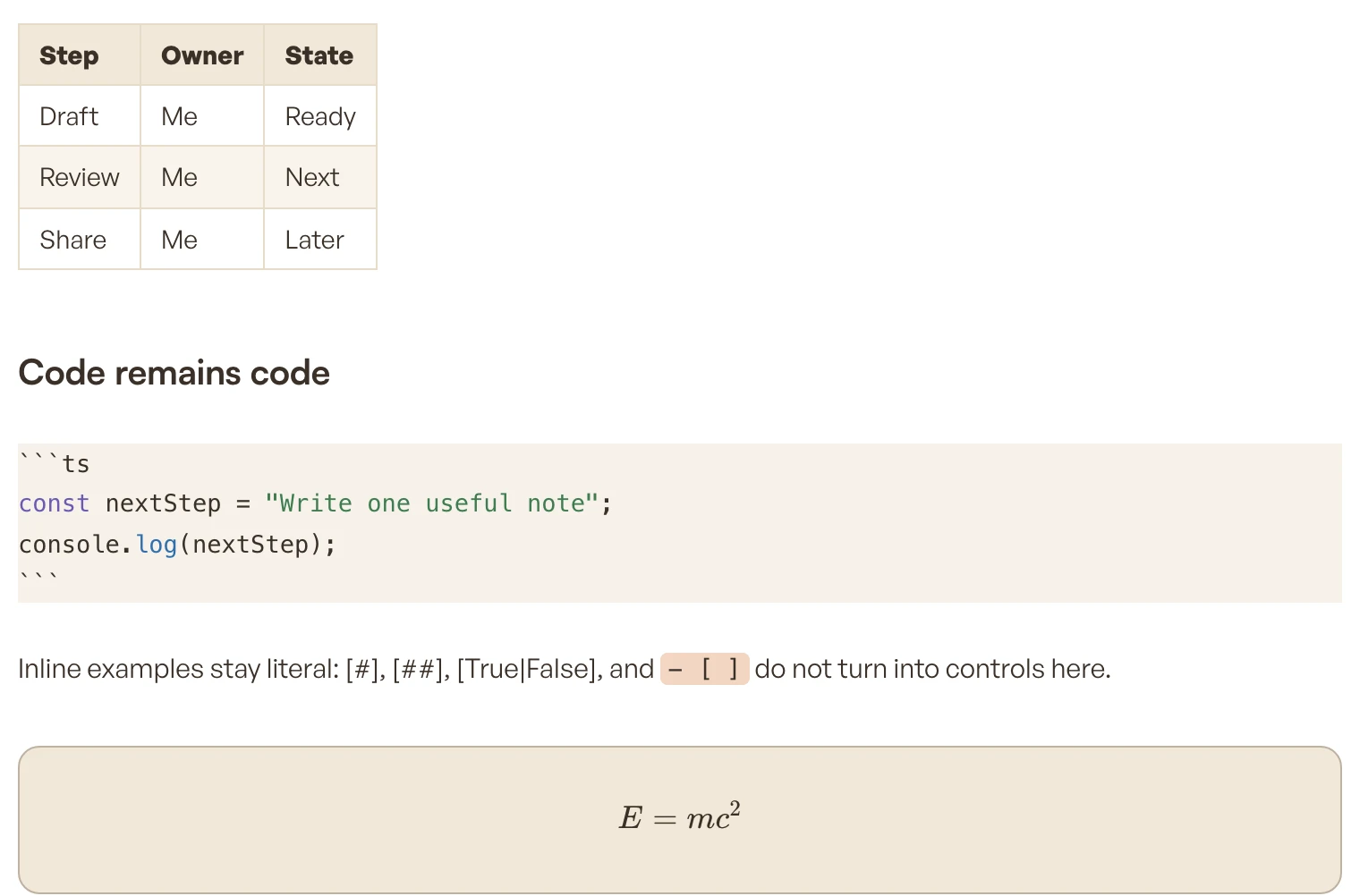
  • A three-column table, a TypeScript code block, and a rendered E = mc² equation

    Tables, code, and math

    Edit tables cell by cell, keep code as code, and write equations that render.

    | a | b | ```ts ```math

Chat

Chat that works inside your notes.

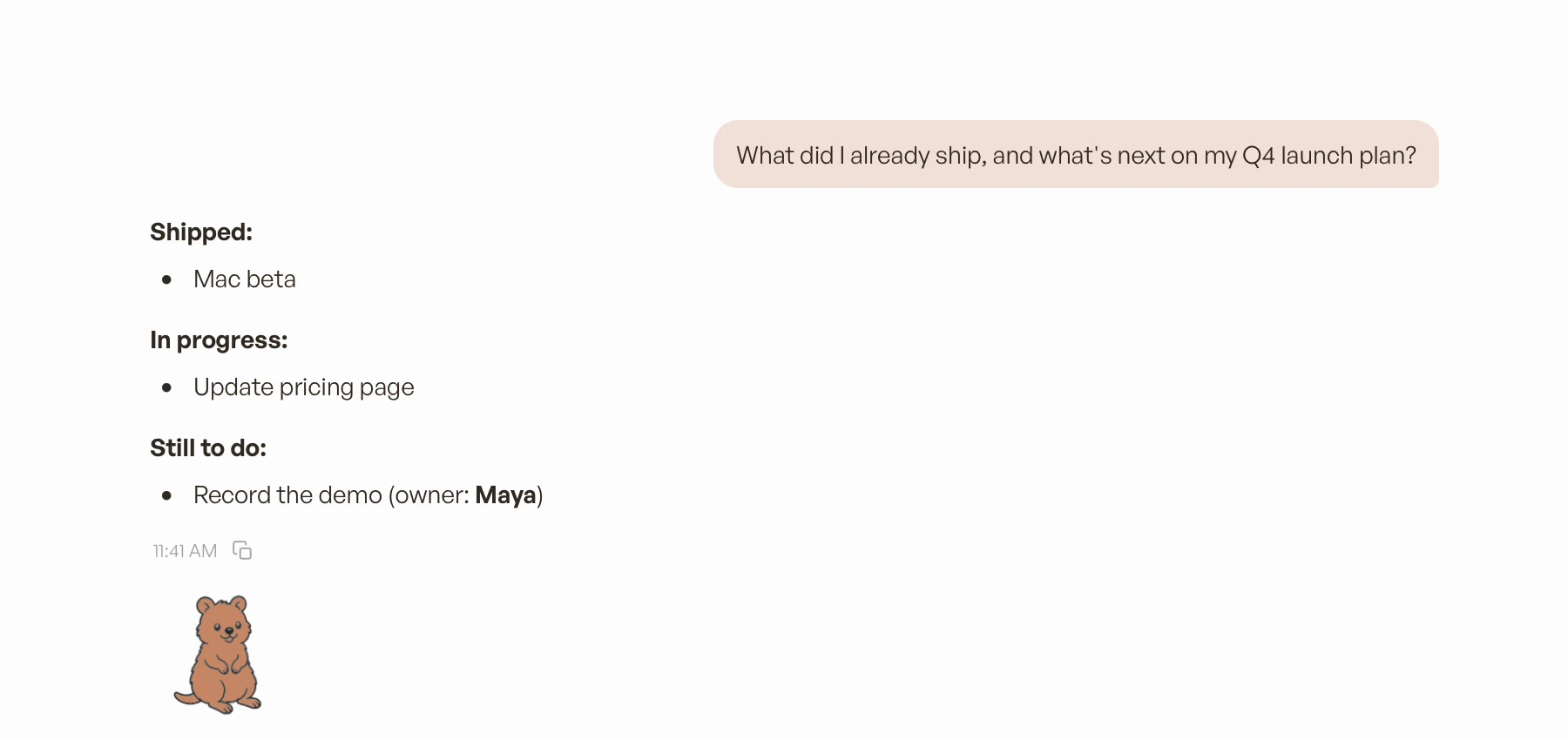
Ask what shipped, what is left, or what you decided last week, and get an answer grounded in your own files. Use a model on your Mac, or the AI tools you already use.

A rotli chat answering “What did I already ship, and what’s next on my Q4 launch plan?” with shipped, in-progress, and still-to-do lists drawn from the notes
  1. 01

    Ask about your notes

    Chat reads the vault you are in, or the note you started it from, and answers from what is actually there.

  2. 02

    It keeps notes as you go

    After every reply, rotli rewrites a short “Conversation notes” section: decisions, facts worth keeping, action items, open questions. The chat itself is saved as Markdown too.

  3. 03

    It can write for you

    In the Mac app, ask for a new note or an edit and it makes the change in your folder. It can also make a Word document, a PDF, or a board, filed beside the chat.

  4. 04

    Jump in, or lock it

    Everything it writes is an ordinary file you can open and keep editing. Want AI to stop touching a note? Lock it. Every model can still read it; none can edit it.

In the chat’s note · updated after every reply

Conversation notes

Q4 launch

Mac beta shipped; pricing page in progress.

Decision: record the demo before launch day.

Action: Maya records the demo.

Open: who reviews the pricing copy?

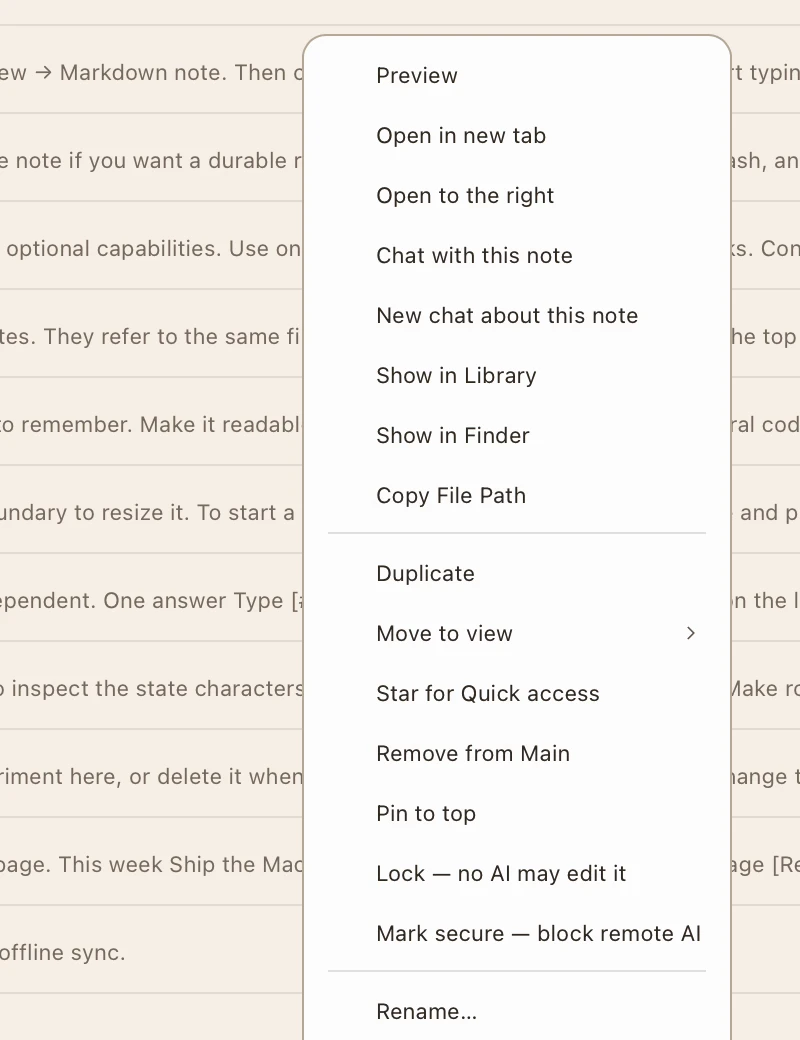
A note’s right-click menu in rotli with “Lock — no AI may edit it” and “Mark secure — block remote AI”
Right-click any note: Lock stops every AI edit. Mark secure keeps it from remote models.

More than notes.

Word documents and boards open right beside your notes, as the same ordinary files any other app reads. Spreadsheets are next.

An Excalidraw board in rotli titled Launch map, with Capture, Note, and Library boxes joined by arrows
  • Documents

    Mac app

    Open and edit real Word files. rotli saves them back as .docx, keeps the parts it does not touch, and makes a one-time backup first. The editor is built on Univer.

  • Sheets

    Coming soon

    Excel workbooks are on the way. CSV files already open and edit in place.

  • Boards

    Mac and web

    Sketch on an Excalidraw canvas saved as an ordinary .excalidraw file, in the Mac app or Rotli Web. On the Mac, chat can draw one for you from a diagram.

Assets stay in the folder.

Paste or drop an image and it is saved into your vault, ready to embed in any note. Documents and boards you or your chats create land beside it. Assets is where you browse them all.

  • storage/images/whiteboard.pngpasted or dropped into a note
  • storage/rotli/project-brief.docxmade from a chat
  • storage/excalidraw/launch-map.excalidrawdrawn on a board

Organize

A Librarian that files, never rewrites.

Turn it on and new notes get tags, summaries, links, and a place in your Library while you keep working in Main. It organizes around your writing without editing it. Turn it off and the folder is still a complete workspace.

  1. Q4 launch planfiled in Projectstags · a summary · linked to Call with Maya
  2. Call with Mayafiled in Peopletags · a summary
  3. Local-first reading listfiled in Researchtags · a summary · links to two notes
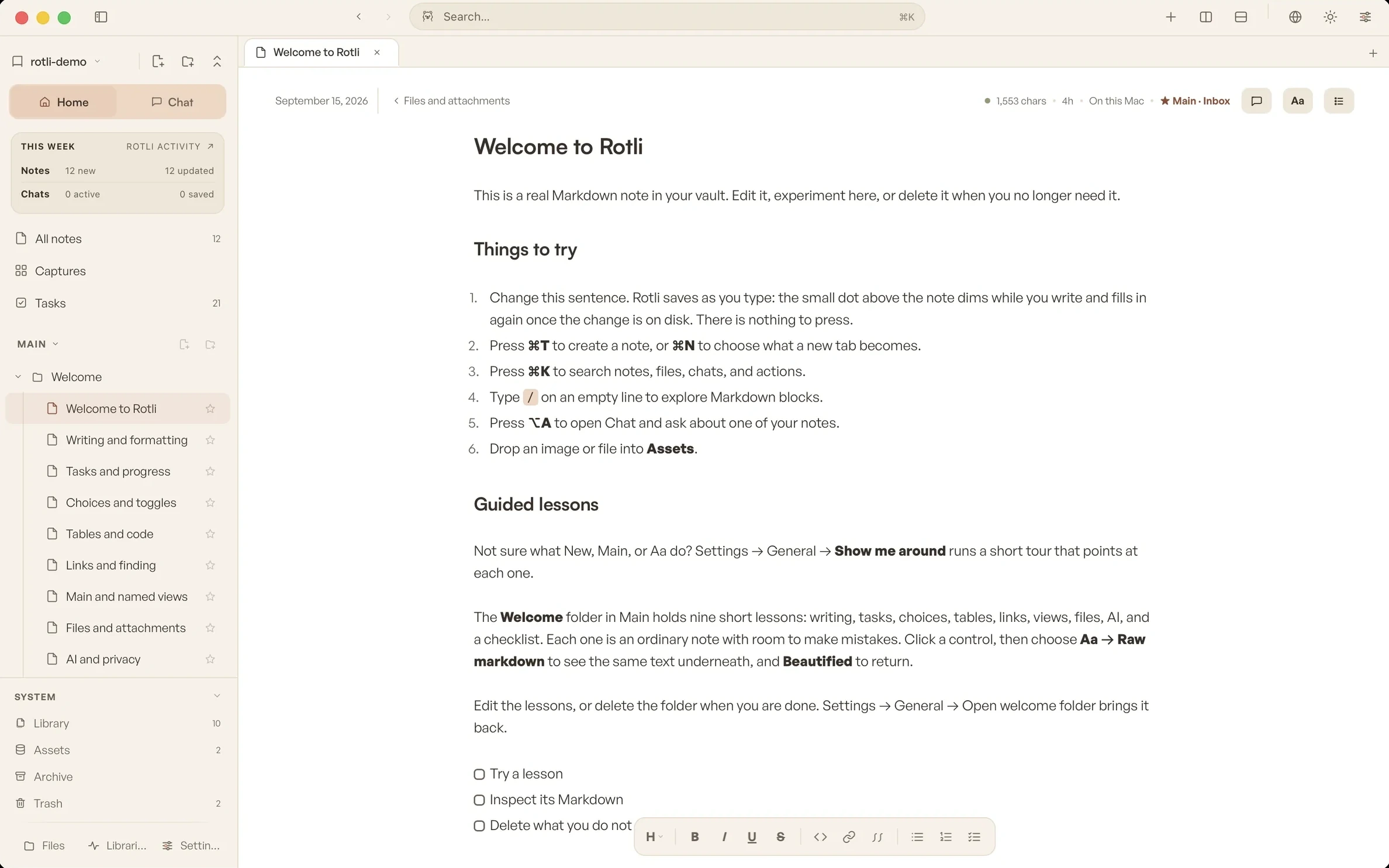
Every note keeps its words exactly as you wrote them.

Your AI, connected the honest way.

No accounts to link and no keys to paste. rotli works with the tools you already have installed.

Bring the AI you already pay for.

Install your AI tool in Terminal and sign in, exactly as its maker describes. rotli then talks to that tool directly on your Mac, the same way you would from Terminal.

  • rotli never signs in for you, never reads the tool’s login files, and never stores its credentials.
  • It uses each company’s own published tool, so your plan is used the way that company intends. No workaround, no shared account.
  • Prefer nothing leaving your Mac? Choose an on-device model instead; it works without a network.
Claude CodeAnthropic
npm install -g @anthropic-ai/claude-codeclaude auth login
CodexOpenAI
brew install codexcodex login
CursorCursor, for code questions
curl https://cursor.com/install -fsS | bashagent login

In the browser, Rotli Helper does the connecting.

Rotli Web cannot start programs, so Rotli Helper, a small app you install on your own computer, runs the same tools for it. It listens only on your computer and refuses secure notes before anything runs.

Rotli HelperMac and Linux
curl -fsSL https://rotli.fun/helper/install.sh | sh
  • [[ ]]

    Wikilinks connect notes. A link to nothing looks inert, never live.

  • ⌘K

    Search titles and text across the whole vault, best match first.

  • ⌥Space

    Open or hide rotli from anywhere on your Mac.

  • Views

    Main and named views arrange the same files without copying them.

  • Lessons

    Your first vault holds nine short lessons, as ordinary notes you can delete.

One folder. Every way out stays open.

Your vault is an ordinary directory you pick. Notes are Markdown, chats are Markdown, and rotli’s own metadata is rebuildable, never a second copy of your work.

  1. Open your work in other apps. rotli is never the only door to your notes.

  2. Back up the folder your way. Time Machine, a sync service, git. No export ritual.

  3. Turn the AI off. A plain folder of Markdown is still a complete workspace.

~/Documents/Field Notesa folder on your Mac
  • wiki/your notes
  • launch-notes.mdplain Markdown
  • reading-list.mdplain Markdown
  • _inbox/quick captures
  • chats/conversations
  • planning-with-claude.mdMarkdown transcript
  • .rotli/settings and indexes rotli can rebuild

Delete the app and the work still makes sense.

Make it yours.

Six theme families, each with a tuned light and dark environment. The calm grammar around your notes stays the same in every one.

The rotli workspace in the Warm Light environment
RotliWarm Light
LightDarkRotliPaperOceanGroveIrisMidnight
A cocoa quokka celebrating with arms raised

A quokka, when you want one.

Pick a body colour, black or white linework, a mood and pose, and glasses or a bucket hat in any colour. Empty states choose a pose that fits. Turn the companion off and it appears only during onboarding.

Why a quokka? rotli is short for Rottnest, the island quokkas call home. The story behind the name

A durable place for the work you want to keep.

Warm enough to return to. Quiet enough to disappear. Local enough to stay yours.

Your first vault opens with nine short lessons. Free, no account.