Room to think. Files you keep.
The calm notes app for your Mac. Every note is a plain Markdown file in a folder you own, with AI only when you ask for it.
From a thought to a file you keep.
Three steps, the same ones the quokka takes in the film.

Write.
Press ⌥Space from anywhere and start typing. Markdown renders as you go.
- Tasks, choices, tables, diagrams, and math
- Aa shows the plain Markdown underneath
- [[Wikilinks]] and ⌘K search across the vault

Keep.
Every note is a plain file in one folder you choose, and it stays yours.
- Opens in any editor; back it up your way
- A Librarian files, tags, and links, never rewrites
- Main and named views arrange without copying

Ask.
Chat answers from your own notes, with a model on your Mac or the tools you already use.
- Conversation notes kept after every reply
- Secure notes never reach a remote model
- Lock a note and no AI can edit it
AI is invited in. It does not own the house.
rotli is built so there is nothing about you to collect, and AI only sees what you let it see.
No account, no tracking
Nothing to sign up for. No analytics, ads, or crash uploads.
Files on your computer
Your notes are plain Markdown in a folder you choose.
AI only on your terms
rotli runs the AI tools you install yourself, never holding your keys. Secure notes never reach a remote model; locked notes can’t be edited by any.
On your Mac. In any browser.
No Mac? Open Rotli Web: the same workspace with no account, and your notes stay in your folder unless you connect chat.
Mac app
The whole workspace: the editor, chat with on-device or connected AI, the Librarian, and ⌥Space from anywhere.
Download for MacRotli Web
The same editor, folders, tasks, and links in your browser, working in a real folder on your computer. Chrome, Edge, and Arc open the folder directly; Safari and phones aren’t supported yet.
Open Rotli WebRotli Helper
A small program for Mac, Windows, and Linux. It lets Firefox, Zen, and Brave use your folder, and lets Rotli Web chat through the AI tools already on your computer.
How the Helper works
Make it yours.
Six theme families, each with a tuned light and dark environment. The calm grammar around your notes stays the same in every one.
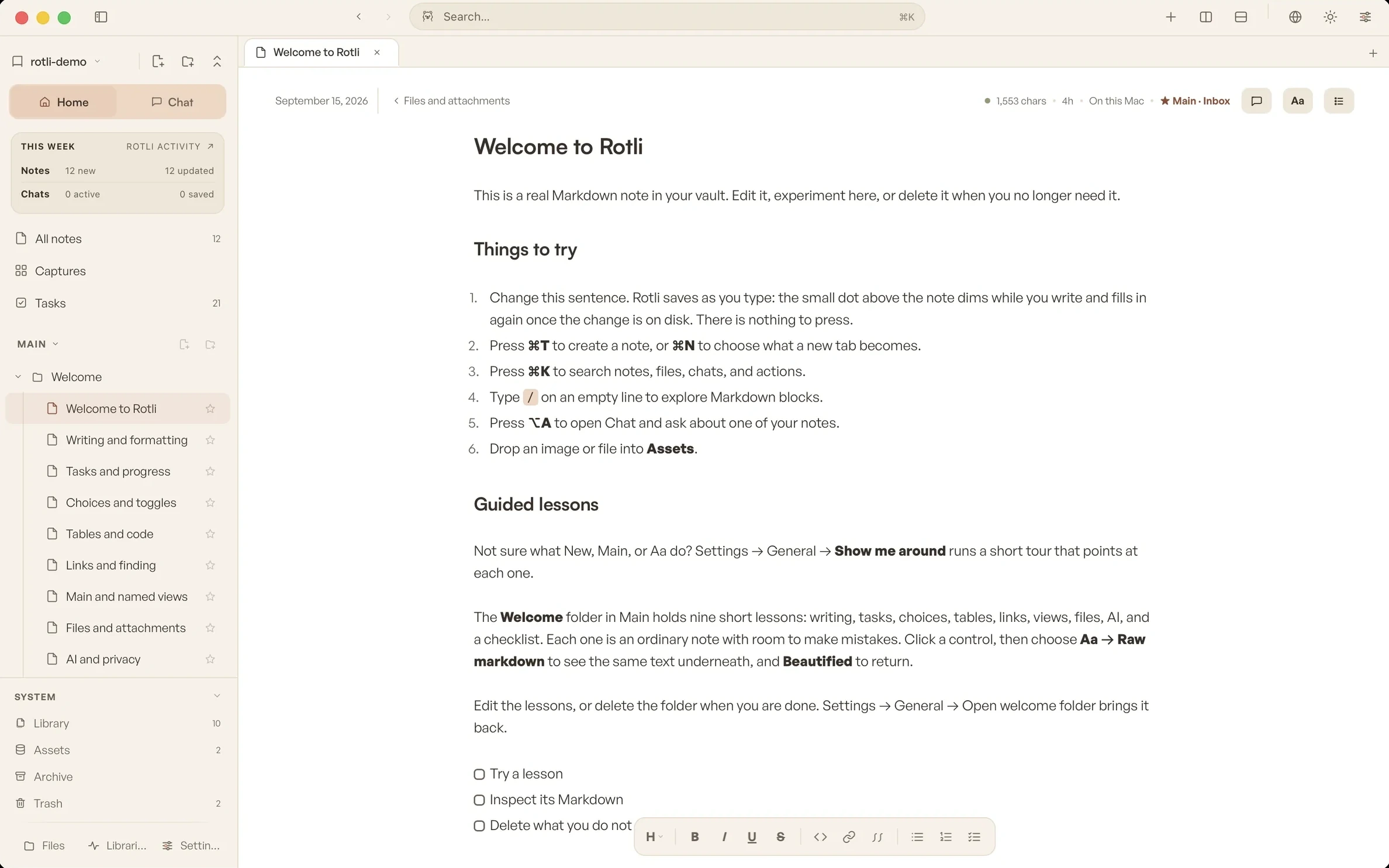
1 / 12Rotli · Warm Light










1 / 10Cocoa · Cheerful
A quokka, when you want one.
Pick a body colour, black or white linework, a mood and pose, and glasses or a bucket hat in any colour. Empty states choose a pose that fits. Turn the companion off and it appears only during onboarding.
Why a quokka? rotli is short for Rottnest, the island quokkas call home. The story behind the name
Questions, answered.
More in Resources, starting with Getting started.
Is rotli free?
Yes. It is free, needs no account, and the source is open under the MIT license.
Where do my notes live?
In one folder you choose, as plain Markdown files. rotli keeps its settings and search indexes in a hidden .rotli folder inside it, and can rebuild them at any time.
Does it work offline?
Yes. Writing, tasks, links, and search need no network. Chat works offline too when you use an on-device model.
Which AI can I use?
A model that runs on your Mac, or the tools you already use, like Claude Code and Codex, with Cursor for code chat. AI is optional; rotli is a complete workspace without it.
Can I leave?
Your notes never left. The folder opens in any Markdown editor, and deleting rotli leaves every file where it was.
What about Windows and Linux?
Use Rotli Web in your browser today. Native Windows and Linux apps are planned.
A durable place for the work you want to keep.
Warm enough to return to. Quiet enough to disappear. Local enough to stay yours.